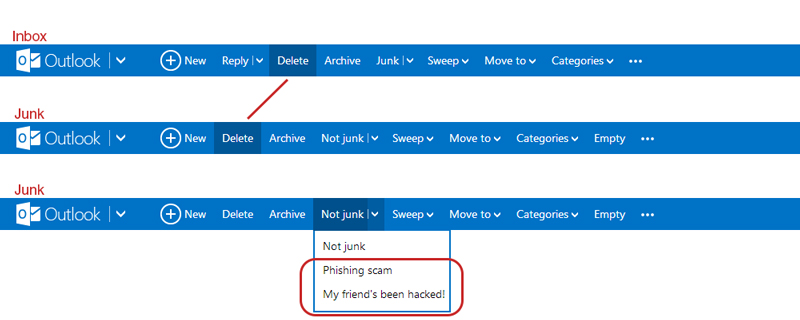
I like Outlook.com (revamped Hotmail), but there’s an inconsistency in the Outlook.com’s user interface which kind of bugs me. When switching from the inbox to the junk page, the “Delete”-button shifts to the left. If I’m in a hurry deleting emails from my inbox and junk, switching between the pages will cause me to accidentally pressing the “Archive”-button when I actually want to delete the email. Also, there’s the weird categorization where they put the options to flag the junk mail message as “Phishing scam” and “My friend’s been hack!” under the button “Not Junk”… Isn’t that the opposite?
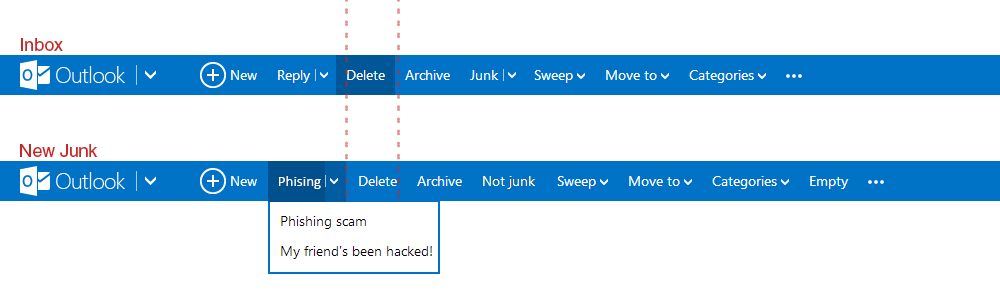
They could have move the phishing and hacked option under a new tag called “Phishing” for example, and place it left of where the “Delete”-button is. This way it shifts the delete to the right making everything more of less aligned and consistent with the Inbox UI.
Related Posts
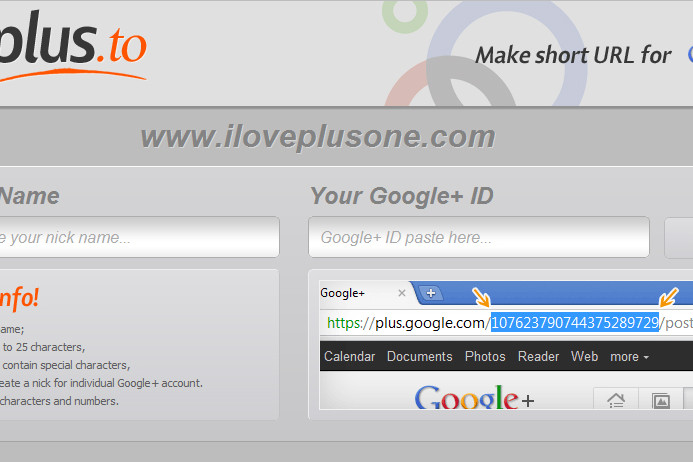
[How-to-Fix] Shorten Google+ URL
How to shorten Google+ URL

Adobe Illustrator – Script Export Artboard to iOS App Icons
Script to export Illustrator Artboard to iOS App Icons with a single click.