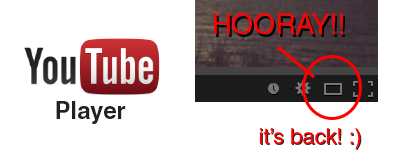
Hooray!! The YouTube player size button is back! A couple a days ago YouTube got a major update (Google+ comment integration) and it seems like they moved the player size button back to the video menu bar. In their previous update the player size button was moved and nested inside the cogwheel button. This was a huge pain in the ass since it required an extra step to perform an option that was very frequently used (you can read about the design and interaction analysis in my previous blog post).
Luckily, YouTube decided to put the player size button back on the video menu bar. Did they get too many complaints or did they just realize it was a horrible UI design choice? Anyway, hopefully they will put back the video quality button back is well haha.. To close this post, I would like to include the sound clip from Super Smash Bros below to celebrate the return of the video size button 🙂
Related Posts

[How-to-Fix] Catalyst Control Center & Native Resolution
Native resolution of wide screen not showing up after updating drivers.
[How] Flash: Seek() & PlayHeadTime() Accuracy
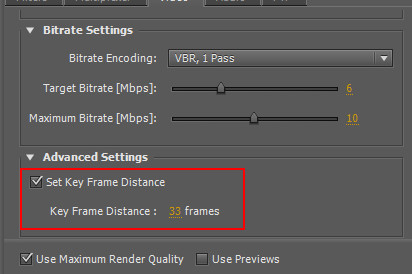
Fixing the inaccuracy of seek() function using key frame distance

[HOW] Find Old Firebase SDK Versions for Unity3D
The SDK link on the Getting Started with Firebase page automatically downloads the latest Firebase SDK. Quite annoying if you're looking for an older version if you want to re-import an older SDK for your project for example...