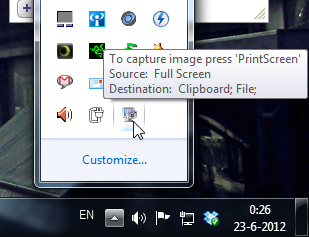
 Shocking discovery the other day… you CANNOT have your mouse cursor be visible when you make a print screen using the print screen button. Now, I’ve known that the cursor won’t show up in print screens, which is awesome and useful usually, but there’s actually no way to make the cursor visible in Windows 7 (not sure if it’s possible in older versions.. I remember XP used to?). Looked all over the internet with no results. The best option is to install a 3rd party software such as Gadwin Print Screen.
Gadwin Print Screen is easy to use and it can other ride the current print screen button or other button if you like. You can toggle the cursor to be visible or not. Also, change the capture directory and the file type of your print screen. When downloading, make sure you download the freeware version, unless you’re willing to pay for the pro version. So far, the freeware version works great! And the best thing is they aren’t trying to force you to buy the pro version with watermarks or anything. Finally, print screens with cursors again!!! Great… right?
Related Posts

Akaroa Panorama 03 & 04
Panorama pictures taken on my way to Akaroa in New Zealand

Puzzle Football Indiegogo Campaign!
The game that I've been working over the last couple of months as an interface designer and pixel artist just launched its Indiegogo funding campaign!

Project Blender – Day2: EL Coffee
Day 2 of Project Blender! This time I did the Coffee Cup Tutorial