[How] Bypass Unity3D's "Hold on" Import on Launch
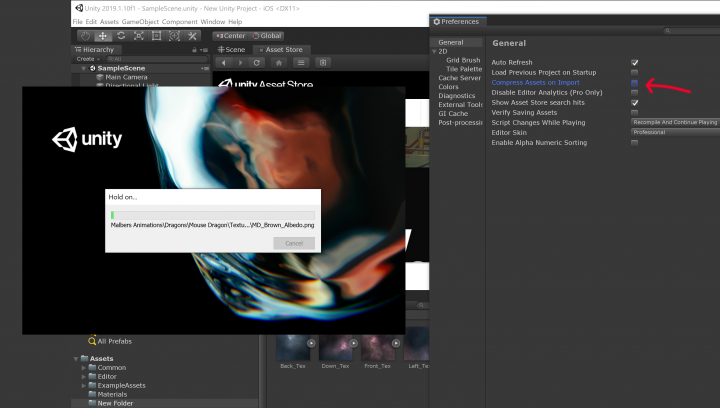
Sometimes it takes forever for Unity to launch. Especially when you have a lot or large assets. For some of our projects it could take hours for Unity to actually launch the editor. It's super annoying and you can't do anything else in the meantime. But there is a way to skip all that in the newer versions of Unity.
If you're having this problem, start a new project with a particular Unity version so you can actually get into the editor. Then go to Edit > Preferences > General and UNCHECK "Compress Assets on Import". Now close the project and open your actual project and it should launch way faster!


[FIX] Unity3D - Android - Unable to List Target Platforms
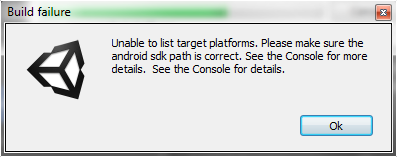
A few months ago I was trying to create an Android build for one of my Unity3D projects which used to be primarily for iOS. When trying to create a build, Unity showed this error:
Error building Player: CommandInvokationFailure: Unable to list target platforms. Please make sure the android sdk path is correct.
[FIX] Unity3D - Animation Must be marked as Legacy Warning

I ran into this warning the other day when I tried adding an animation clip to an object "Animation Component must be marked as legacy", and there was no obvious way to find and fix the legacy problem... After searching a little bit on the internet, I found this solution to fix the warning:
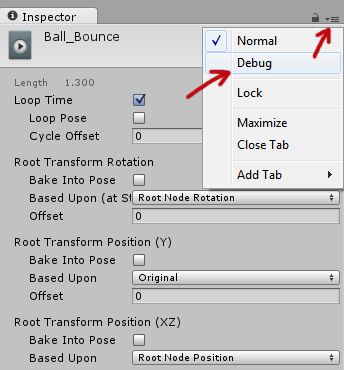
Select the animation clip in your Project > Go to the Inspector tab and clip on the "hamburger" button > Then select "Debug".
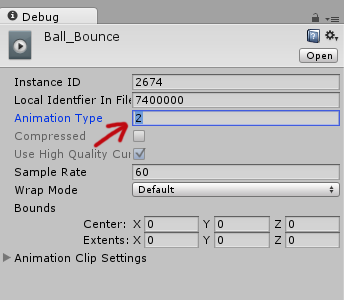
The inspector options will change into debugging mode and there set the "Animation Type" from 2 to 1. Set the inspector mode back to "Normal" through the hamburger button and it's fixed! No more legacy warnings!
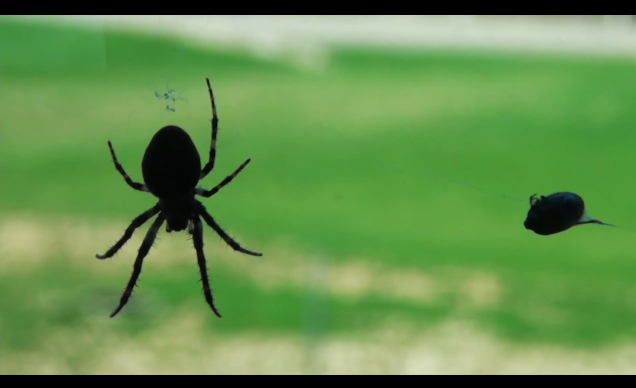
Xpider Sven
We had a baller 7-legged spider hanging outside of our project window the other day and took some awesome footage of it. Unfortunately, he went missing when the weather got colder and rainier :(
I played around with the footage of our Xpider and video effects in Premiere.
Watch the videos in FULL HD and FULL SCREEN for the ultimate experience!!
http://www.youtube.com/watch?v=ed4MM_nLc-Y&hd=1
http://www.youtube.com/watch?v=z_0OINiWsIU&hd=1
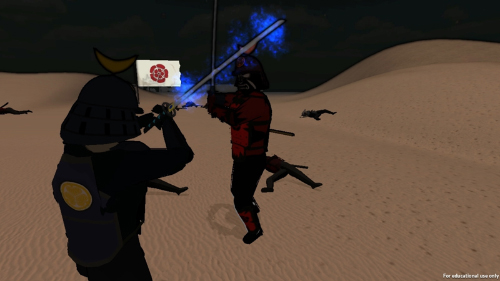
Ryusei In-Game
Ryusei
--------------------------
Round 4 Storytelling ~ 3 Weeks Project
Building Virtual Worlds, Fall 2011
Entertainment Technology Center
Carnegie Mellon University
In-game footage only, game play footage will follow shortly!
--------Team--------
Weiwei Huo ~ Producer & Programmer
Liu Xiyuan ~ Lead Programmer
Mohan Subramanian ~ 3D Modeler & Animator
Elwin Lee ~ Texture Artist & 2D Animator
Anthony Hildebrand - Sound Design & Script
--------Voice-Overs--------
Björn Ahlstedt ~ Main Character
Eric Hamel ~ Ryusei
Avi Chetlin ~ Shogun's Son
Diane Turnshek ~ Narrator
--------Special Thanks--------
Jason Baxter
Chris Klug
Brian Lee
Scott Chen
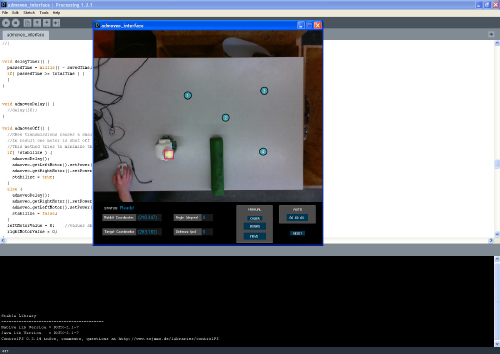
[How-to-Fix] Processing & JMyron = BSOD

Back during my graduation project at the TU/e, I worked on building a system to create smoother robot motion through an operator-based interface using computer vision and Processing. The setup was to track the robot from above with a camera and have the motion controlled by having the operator selecting various points on the computer to create a motion path.

To realize this, I used Processing and the JMyron Library to track the robot with color recognition. BUT, there was a huge problem when I tried to get JMyron to work... Every time when I tried to run the code, my computer would get a blue screen and crash. I tried switching webcams, but still not luck. Google didn't help either, as I wasn't able to find a reason/solution for the blue screen to appear.
There was a forum a post pointing out that Logitech webcams might be the cause for the problem. Guess which brand of webcams I had...? So, I went to the store got a Microsoft Lifecam Cinema (720p) and everything worked perfectly! No more blue screen!! Also the camera is pretty awesome as well!
tl;dr, don't use Logitech cams if you're planning to use Processing and JMyron :)
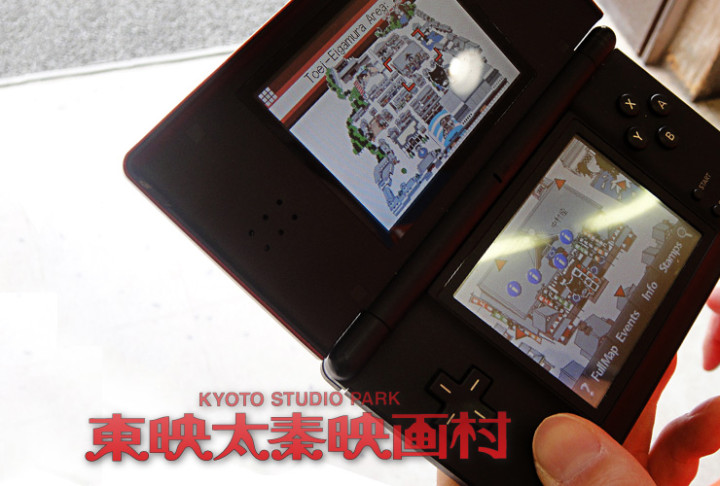
Interactive Guide System on the Nintendo DS
A short description of my work is presented on my portfolio -'Eigamura Guide System'.
Meanwhile some links related to the project (in Japanese) below: