I’ve been using the Disable Comments WordPress plugin for some of my websites. It works great in disabling and hiding the comment sections in posts and pages. However, I decided to re-enable the comments and the comment form didn’t show up anymore. I tried disabling and deleting the plugin and made sure everything was on in the Discussion section was enabled, but without nothing worked. Took me ages until I found a solution on the plugin support forum.
To fix the comment form in the posts and pages:
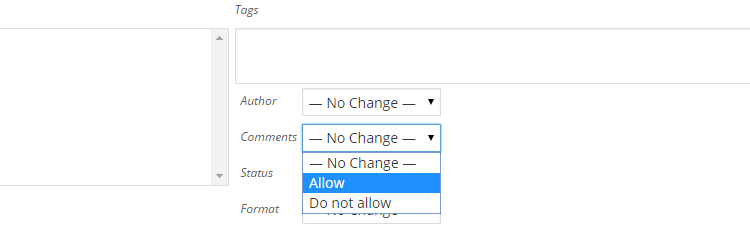
– From the Posts Screen, check the boxes next to all the posts you want to edit, select Bulk Actions -> Edit, and click Apply.
– In the bulk edit area that appears, check the box for comment status and click Update.
Related Posts
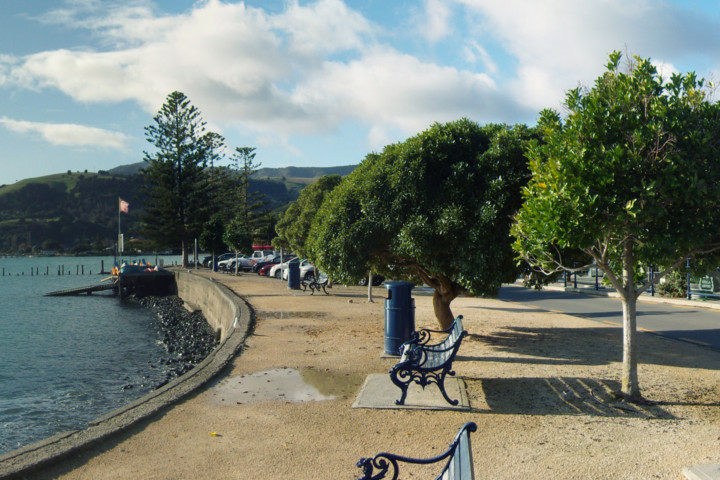
Akaroa Panorama 03 & 04
Panorama pictures taken on my way to Akaroa in New Zealand

[FIX] Unity3D – Moving Files Failed Error When Making Build
I was trying out the Google Player Services plugin and got this error message when I was trying to make an Android build which prevented me from finishing the build.

[FIX] Bioshock: Infinite – Audio Crackling
How to fix audio crackling issue in Bioshock: Infinite by changing .exe compability to Windows Vista SP2