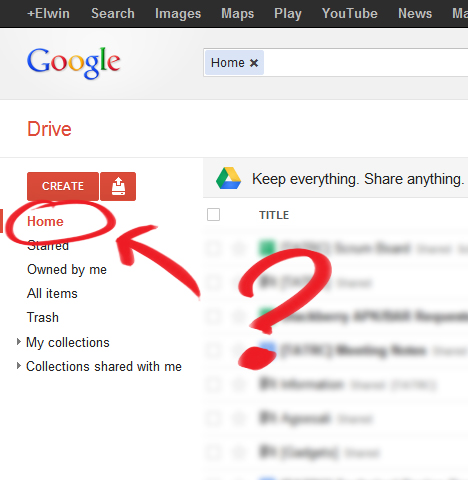
Wondering where the Home view went after switching from Google Docs to Google Drive? It’s actually not your default view anymore in Google Drive, but instead it shows up your collections on the main page.
For me, the most useful thing of using Google Docs was that I was able to see all the documents sorted by modification date. Now you have to navigate through your collections to see which of the documents have changed.
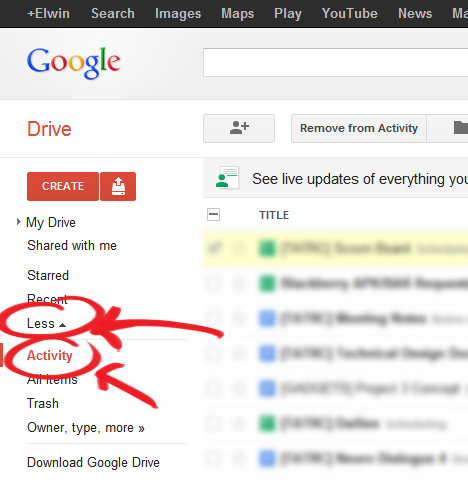
Luckily, the Home view is still present in Google Drive, but it’s hidden in the left menu. It’s actually called the Activity view and you can find it by expanding the “More” tab.
You can also navigate to the Activity view directly https://drive.google.com/#activity
Related Posts
Why Can’t I Report Scam & Phishing Emails On Outlook.com Beta?
A new beta version rolled out a few months ago and they've removed the option to mark and report an email as "Phishing scam"...
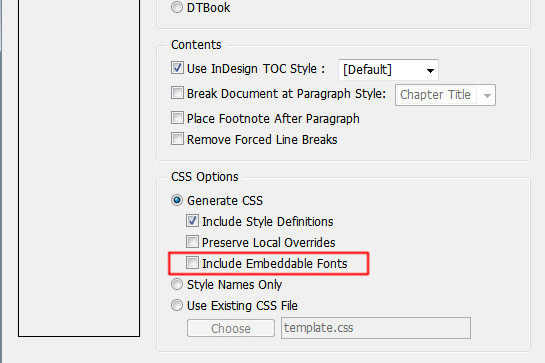
[How-to-Fix] Bold / Italic not showing in Epubs
How to fix Bold & Italic text not showing up in Epubs after exporting in InDesign
[How] Premiere: Avi File; No Video, Only Audio
How to fix no video when importing AVI with Premiere
Is it possible to make “activity” the default view?
Not sure, but the “activity” view stays as my default view if I don’t exit my browser in a different view though